New Salon Documentation
Browse our guides and documentation to learn how to use the platform.
Last updated February 23, 2026
Quick Start
Create and publish your first website in 5 minutes
Understanding Layouts
Overview of all 9 layout engines and how to choose the right one
Creating Your First Website
A complete guide to creating your website from scratch
Understanding the Editor
Learn about the editor interface, tools, and keyboard shortcuts
Layouts
Understand the 9 layout engines and choose the right one for your content







Editor Panels
Reference guide for the visual editor panels
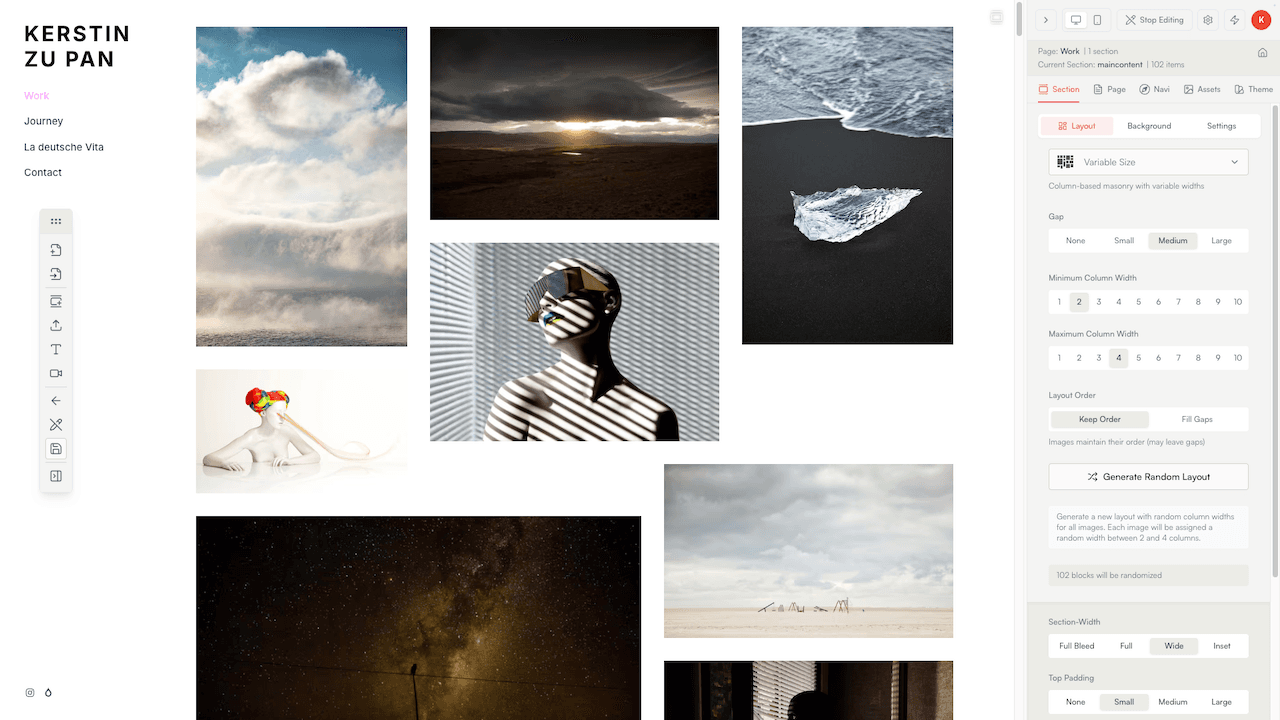
Section Layout
Control how content is arranged within your page sections
Section Background
Set background colors, images, and effects for page sections
Navigation Settings
Configure your site's navigation menu, logo, links, and social icons
Text Editing
Format and style text blocks with typography controls
Image Editing
Edit image properties, captions, and accessibility settings
Video Editing
Configure video players and embed settings
Page Blocks
Create internal links to other pages within your site
Page Tab
Create internal links to other pages within your site
Lightbox Settings
Customize the full-screen image viewer experience
Mobile Menu
Configure the burger menu overlay colors and appearance
Settings
Configure your site's global settings and preferences
General Settings
Configure your site's basic information and visibility
Appearance & Branding
Customize your site's favicon and social preview image
Custom Domain
Connect your own domain to your website
SEO Configuration
Optimize your site for search engines and social sharing
Analytics Setup
Track visitor behavior with built-in and third-party analytics
Cache Management
Control content caching for optimal performance
Account
Manage your profile, subscription, and account settings
Profile Settings
Update your profile information and avatar
Account Security
Change your email address and password
Subscription & Billing
Compare plans, features, manage billing and payments
Social Media Links
Connect your social media profiles to your account
Subscription
View your plan and usage statistics
Invite Artists & Earn Rewards
Invite fellow creatives to Salon, earn SLN credits, and grow your network
SLN Credits
Understand how credits work — earning, spending, and managing your SLN balance
Salon Partners Program
Earn ongoing rewards by sharing Salon with your creative network
Legal & Policies
Overview of Salon's legal documents, terms, and your rights
Migration
Import your content from legacy salon.io to the new platform
Migration Overview
Benefits of migrating from salon.io and what gets transferred
Finding Your Account
Step 1: Locate and verify your legacy salon.io account
Selecting Pages
Step 2: Choose which pages to import from your salon.io account
Import Process
Step 3: Watch real-time progress as your content transfers
Layout Mapping
How legacy salon.io layouts convert to New Salon layouts
After Migration
Post-import checklist and tips for getting started with your migrated content
Troubleshooting
Solutions to common migration issues and problems
Membership Carryover
How your legacy salon.io membership carries over to New Salon
Design & Themes
Customize themes, colors, styles, and visual appearance
Choosing a Theme
Browse and apply theme presets to customize your site's appearance
Site Theme
Choose and customize your site's overall visual theme
Caption Themes
Style how image captions appear on your site
Customizing Colors
Configure your site's color palette and brand colors
Caption Theme Editor
Create and customize your own caption styles
Publishing
Make your site live with custom domains and SSL
Blog
Articles, insights, and updates about New Salon
The Art of Salon-Style Hanging - From Paris Salons to Digital Galleries
Discover the fascinating history of salon-style hanging, from 18th century Paris exhibitions to modern digital galleries, and why this densely-packed display method creates such powerful visual impact.
Xanadu - Where Are You? Exploring Ted Nelson's Grand Vision for Hypertext
An exploration of Ted Nelson's revolutionary Xanadu project and its lasting impact on how we understand hypertext and digital information systems
Legal & Policies
Terms of Service, Privacy Policy, and other legal documents for the Salon platform
Terms of Service
Your agreement with Salonio UG for using the Salon platform
Privacy Policy
How we collect, use, and protect your personal data — GDPR compliant
Acceptable Use Policy
Guidelines for content, conduct, and platform usage on Salon
Cookie Policy
What cookies and local storage we use and how to manage your preferences
DMCA & Copyright Policy
How to report copyright infringement and the counter-notification process
Imprint (Impressum)
Legal notice and company information for Salonio UG